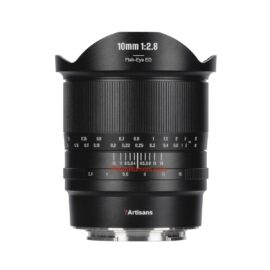
Canon RF 10-20mm f/4 L IS STM:
B&H Photo / Amazon / Adorama
The Canon RF 10-20mm f/4 L IS STM sounds like a very impressive lens and it is finally in stock everywhere.
Follow Canonaddict on Facebook, X/Twitter, Instagram, and YouTube

Canon RF 10-20mm f/4 L IS STM:
B&H Photo / Amazon / Adorama
The Canon RF 10-20mm f/4 L IS STM sounds like a very impressive lens and it is finally in stock everywhere.
Follow Canonaddict on Facebook, X/Twitter, Instagram, and YouTube

Canon RF 35mm f/1.4L VCM:
B&H Photo / Amazon / Adorama / WEX Photo/ Foto Koch
Digital Camera World published its full review of the Canon RF 35mm f/1.4L VCM which you can read here or check out the summary below:
Features Top-end features include a customizable control ring and function button, plus a dedicated stepless aperture ring. ★★★★★ Design The design incorporates an excellent dual autofocus system and a particularly well-rounded 11-blade aperture diaphragm. ★★★★★ Performance Image quality and all-round performance are superb although, like many recent lenses, it relies on in-camera correction for distortion. ★★★★★ Value It’s certainly an expensive lens to buy but still undercuts the older EF lens for purchase price. ★★★★ Buy this…
- You want a 35mm f/1.4 lens that works brilliantly well for both stills and video. This lens is equally excellent for both.
- You demand the very highest standard of image quality and, like many, find that a fast 35mm lens is a must-have for your kit bag.
Don’t buy this…
- You’d rather spend less on a lens like the Sigma 35mm F1.4 DG HSM Art (EF mount), which you can use on EOS R system cameras via a mount adapter.
- You don’t feel the need for a fast f/1.4 aperture, in which case the Canon RF 35mm F1.8 IS Macro STM is much less expensive to buy.
Follow Canonaddict on Facebook, X/Twitter, Instagram, and YouTube

EOS R3 Firmware Update, Version 1.8.0
Firmware Version 1.8.0 incorporates the following enhancements and fixes:
1. Adds [Protect Images] and [Rating] during FTP Transfer.
2. Adds the ability to select [Wired] as a connection option when [Airplane mode] is set to [On].
3. The following issues have been fixed.
3-1.Fixes an issue, in which when Wi-Fi is disconnected, Err 70 occurs.
3-2.Fixes an issue, in which when shooting subjects that are smaller in the frame, the card access indicator blinks and operations can no longer be performed.
3-3.Fixes an issue, in which while operating both the touch function on the LCD monitor and a customized button, and then performing shooting, operations can no longer be performed.
3-4.Fixes an issue, in which when performing shooting in high-speed continuous shooting + mode with the [Highlight Tone Priority] option set to [ON], focus may not be achieved when certain ISO speed settings are used.
EOS R5 Mark II Firmware Update, Version 1.0.1
Firmware Version 1.0.1 incorporates the following fixes:
1. Fixes an issue in which movies captured in RAW/SRAW format may not play back properly on applications due to the attached lens and camera not communicating.
2. Improves the stability of the touch operation control when the [Touch control] is set to [Sensitive].
3. Fixes an issue in which the camera’s LCD display may become abnormal after the camera resumes operations from the [Viewfinder off] state.
4. Fixes an issue in which the camera may stop working properly when the shutter button is operated while the BUSY message is being displayed on the screen.
5. Fixes an issue in which Err70 may be displayed when the display mode is switched between the LCD screen and viewfinder while the BUSY message is being displayed on the screen.
6. Fixes an issue, in which the camera’s LCD display becomes abnormal after using EOS Utility to capture and import movies.
7. Fixes an issue, in which movies captured using EOS Utility may not be played back on the camera.
8. Optimizes the auto white balance for specific environments when the Custom Picture function is set to [On].
EOS R5 Firmware Update, Version 2.1.0
Firmware Version 2.1.0 incorporates the following enhancements and fixes:
1. Enables functions to be used without limitation in conjunction with the new Battery Pack LP-E6P.
This makes it possible to shoot at the same continuous shooting speed as when using LP-E6NH.
In-camera charging of LP-E6P is also supported.
2. Adds [Protect Images] and [Rating] during FTP Transfer.
3. The following issues have been fixed.
3-1. Fixes an issue, in which when Wi-Fi is disconnected, Err 70 occurs.
3-2. Fixes an issue, in which when shooting subjects that are smaller in the frame, the card access indicator blinks and operations can no longer be performed.
3-3. Fixes an issue, in which when performing shooting in high-speed continuous shooting + mode with the [Highlight Tone Priority] option set to [ON], focus may not be achieved when certain ISO speed settings are used.
EOS R6 Mark II Firmware Update, Version 1.5.0
Firmware Version 1.5.0 incorporates the following enhancements and fixes:
1. Enables functions to be used without limitation in conjunction with the new Battery Pack LP-E6P.
This makes it possible to shoot at the same continuous shooting speed as when using LP-E6NH.
In-camera charging of LP-E6P is also supported.
2. Adds [Protect Images] and [Rating] during FTP Transfer.
3. Adds support for the “Peripheral Coordinated Control”. Peripheral Coordinated Control is now always performed when a compatible lens is attached (there is no need to set it on the menu screen).
* Peripheral Coordinated Control is a function that reduces changes in distortion around the periphery of the image caused by camera shake, which tends to occur with wide-angle lenses.
4. The following issues have been fixed.
4-1. Fixes an issue, in which when performing continuous shooting using the electronic shutter with both the [High-Frequency Anti-Flicker Shooting] and [OVF sim. view assist] options set to [On], Err 70 may occur.
4-2. Fixes an issue, in which when Wi-Fi is disconnected, Err 70 occurs.
4-3. Fixes an issue, in which when performing shooting in high-speed continuous shooting + mode with the [Highlight Tone Priority] option set to [ON], focus may not be achieved when certain ISO speed settings are used.
EOS R6 Firmware Update, Version 1.9.0
Firmware Version 1.5.0 incorporates the following enhancements and fixes:
1. Enables functions to be used without limitation in conjunction with the new Battery Pack LP-E6P.
This makes it possible to shoot at the same continuous shooting speed as when using LP-E6NH.
In-camera charging of LP-E6P is also supported.
2. Adds [Protect Images] and [Rating] during FTP Transfer.
3. Adds support for the “Peripheral Coordinated Control”. Peripheral Coordinated Control is now always performed when a compatible lens is attached (there is no need to set it on the menu screen).
* Peripheral Coordinated Control is a function that reduces changes in distortion around the periphery of the image caused by camera shake, which tends to occur with wide-angle lenses.
4. The following issues have been fixed.
4-1. Fixes an issue, in which when performing continuous shooting using the electronic shutter with both the [High-Frequency Anti-Flicker Shooting] and [OVF sim. view assist] options set to [On], Err 70 may occur.
4-2. Fixes an issue, in which when Wi-Fi is disconnected, Err 70 occurs.
4-3. Fixes an issue, in which when performing shooting in high-speed continuous shooting + mode with the [Highlight Tone Priority] option set to [ON], focus may not be achieved when certain ISO speed settings are used.
EOS R8 Firmware Update, Version 1.4.0
Firmware Version 1.4.0 incorporates the following enhancements and fixes:
1. Adds the ability to select [WPA2] and [WPA3] as a secured protocol.
2. Adds support for the Software Development Assistance Kit (EDSDK/CCAPI).
3. The following issues have been fixed.
3-1. Fixes an issue, in which when performing continuous shooting using the electronic shutter with both the [High-Frequency Anti-Flicker Shooting] and [OVF sim. view assist] options set to [On], Err 70 may occur.
EOS R10 Firmware Update, Version 1.6.0
Firmware Version 1.6.0 incorporates the following enhancements and fixes:
1. Adds the ability to select [WPA2] and [WPA3] as a secured protocol.
2. Adds support for the Software Development Assistance Kit (EDSDK/CCAPI).
3. The following issues have been fixed.
3-1. Fixes an issue, in which when SPEEDLITE EL-5, EL-10 is attached, the “Accessory unavailable status” message may be displayed when restarting after the camera has gone into Auto Power Off. (Only occurs with firmware Ver.1.5.0)
3-2. Fixes an issue, in which when performing shooting in high-speed continuous shooting + mode with the [Highlight Tone Priority] option set to [ON], focus may not be achieved when certain ISO speed settings are used.
EOS R50 Firmware Update, Version 1.3.0
Firmware Version 1.3.0 incorporates the following enhancements and fixes:
1. Adds the ability to select [WPA2] and [WPA3] as a secured protocol.
2. Adds support for the Software Development Assistance Kit (EDSDK/CCAPI).
3. The following issues have been fixed.
3-1. Fixes an issue, in which when performing shooting in high-speed continuous shooting + mode with the [Highlight Tone Priority] option set to [ON], focus may not be achieved when certain ISO speed settings are used.
EOS R100 Firmware Update, Version 1.1.0
Firmware Version 1.1.0 incorporates the following enhancement:
1. Adds support for the Software Development Assistance Kit (EDSDK/CCAPI).
Follow Canonaddict on Facebook, X/Twitter, Instagram, and YouTube
The Canon Powershot 10 has been out for a bit now, but they just announced a white version in China. It is unknown at this time if other regions will get a white edition, but there is currently Black and Silver available globally.

Viltrox Announces Global Photo Contest for 2024
Viltrox is excited to announce the 2024 Viltrox Image Awards (VIA), a global photo contest inviting photographers of all skill levels to showcase their creativity using Viltrox lenses. Participants can submit entries in diverse categories, with opportunities to win significant prizes, including $10,000 for the Master Award. The contest runs from September 5, 2024, to March 31, 2025, offering international recognition and a platform for photographers to share their unique perspectives. Visit the official website for submission guidelines and details.

Canon Speedlite EL-5: B&H Photo / Amazon / Adorama
Information on free repairs for the Speedlite EL-5 strobe
September 19, 2024
Canon Marketing Japan Inc.
Thank you for your continued patronage of Canon products.
We have discovered that the following phenomenon occurs with the Speedlite EL-5 flash. We would like to inform you of the details of this issue and our response.
We sincerely apologize to customers who use this product for any inconvenience caused. We will implement even more thorough quality control measures in the future so that customers can use our products with peace of mind, and we appreciate your understanding.
phenomenon
Some parts of this product may consume battery power quickly when the power is turned off. If a fully charged battery is inserted and the power is turned off, the battery may run out in about two days.
Selected products
The affected products are the “Speedlite EL-5” flash units with a “0” as the fourth digit from the left of their serial numbers, and in which the above phenomenon occurs.

Response
If the product in question exhibits this phenomenon, we will inspect and repair it free of charge. However, please note that there may be cases where inspection and repair for other phenomena than those mentioned above may be charged, even if the product in question is in the category of subject products.
Free repair acceptance period
Until September 30, 2026
About application
For repair requests, please click the “Go to application form” button below to apply. Our designated courier will deliver the necessary packaging materials at the date and time you specify, so please use them to pack and ship the equipment.
When making a request, please only bring the strobe body. Please keep all other accessories such as batteries, battery chargers, and accessories (strobe cases, etc.) on hand.
Storage period
Please note that it will take approximately 10 days to 2 weeks.
* The return date may change depending on the congestion situation.
Contact for this matter
Please contact the “Speedlite EL-5 Call Center” listed below.
Telephone enquiries
Speedlite EL-5 Call CenterTelephone number: 0120-101-418 (toll free) Reception hours: Weekdays and Saturdays 9:00-17:00
*We will be closed from December 31st to January 3rd.
via Canon.jp